Saturday, January 6, 2024

Our BOOKHUB & Virtual BOOKHUB For February! Our Monthly Read Aloud & eBook Program Using Books, Capstone Connect & CI eBooks For All Readers!

One of our favorite ways to share special books and celebrate reading is our monthly BOOKHUB Takeout Station. 

Each month, we put together a new group of books that teachers can come pick up to read and share with their students.  You can read all about it, and find the signage I created in Canva, here in this post.
Here is our BOOKHUB Menu for February. You will find the Canva template here.

A few years ago, I thought it would also be found to create a Virtual BOOKHUB each month. 

Capstone Connect is the perfect place to help me create too! 
Capstone Connect is an amazing digital platform from our friends at Capstone that connects PebbleGo, PebbleGo Next, Capstone Interactive eBooks and teachers resources in one place with links to use that connect to each resource.
Let me show you how I put the our February Virtual BOOKHUB choice board.
First, I logged into our Capstone Connect
I searched Winter using the Title Search in Capstone Connect. 
When I searched Winter, it gave me the results eBooks, PebbleGo articles and teacher resources.
For the choice board I created, I needed the book cover and link to the eBook.  

To view the eBook, I clicked on Valentine's Day and the eBook...
...opened up in Capstone Interactive.  This let me view the eBook and also grab the cover image. 
I then clicked on Copy Link and took it to the choice board. 
I then went back to the You've Been Virtually Book'd For February choice board I created in Google Slides.  I added the screen shot of the book cover, clicked on the image, and added the link I copied to the image. 
When our students and teachers click on the book covers, it will take them straight to the ebooks within Capstone Interactive.  

We don't even have to login because by using Capstone Connect it takes us directly to the eBooks and PebbleGo resources every time.  

We love our You've Been Book'd program and can't wait to celebrate reading in one more way with our students as we share our You've Been Virtually Book'd program every month! 
I made a template for you to create your own You've Been Virtually Book'd For February  If you have Capstone Interactive eBooks, you can find the link and add them to the book covers I have included in this choice board.
I also created this blank template for February to fill in with your own eBooks and choices for February.

You will find it here to make a copy, friends. 

And you will find the list of all the Capstone Interactive eBooks from the choice board here.

Friday, January 5, 2024

Turn The January 2024 PebbleGo & PebbleGo Next Monthly Holiday Calendar Into An Interactive Research Choice Board For Your Students & Teachers!


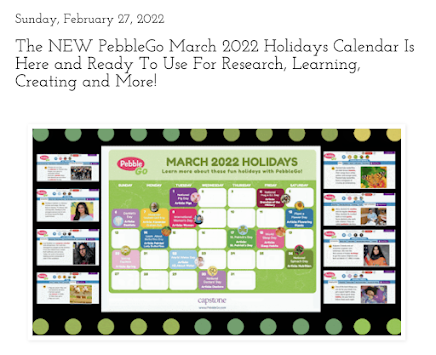
Our friends at Capstone create these special PebbleGo and PebbleGo Next Holiday Calendars each month. 

In this post, I share more about the PebbleGo Monthly Calendars. 
I love making paper copies of these to share with our teachers and kids. 
They hang them up in their classrooms and hang them in our library too. I also share them online through social media and as an image in Google Classroom or Seesaw. 
The teachers even use the PebbleGo Calendars for mini research opportunities throughout each week. The students use PebbleGo Create to share what they learn throughout the month with the calendars. 
Earlier this year, when I was sharing the calendars with teachers and students, I thought....Hey, this would be really fun in a choice board! 
So, I opened up a Google Slide, uploaded the PebbleGo January 2024 Holidays Calendar, and added a little chalk board with text over the top.  
Then I went through the calendar and found every special day in PebbleGo and PebbleGo Next.  

For example, National Technology Day is January 6th. The PebbleGo article about Technology and My Health is perfect for this special event. 

I went to PebbleGo and found the article. I grabbed the link, as shown in the image above. 
I took that link and added a linked text box around each special date. 
Now, when the kids click on a holiday, it will take them directly to that PebbleGo article.  

If you want to use the template to create your own, you will find the Google Slide here to make a copy and add links to the PebbleGo and PebbleGo Next articles. 
And to make it a choice board, just Publish to the web, as shown in this image above. 
You will share that Published Link with your students.  

I love sharing these interactive PebbleGo and PebbleGo Next Holiday Calendars with our students and teachers. They love learning all about these special days that are highlighted each month too.

I am excited to have the January 2024 PebbleGo and PebbleGo Next ready to go for the month. I hope you will find ways to use it with your students and teachers. 

Our January 2024 BOOKHUB Takeout Stations To Inspire and Support The Reading Lives Of Our Students and Teachers!

We are always looking for ways to make our library program the best it can be for our students, teachers and school community. 

As a Future Ready Librarian, I want to make sure I am always inspiring and supporting the reading lives of both our students and teachers everyday. 

Over the last year, we made a few little changes to our BOOKHUB program to give our teachers more choice and control over the books they pick and read from the BOOKHUB Menu we put together each month. 

And instead of putting the posters and bags on each teachers door, 

...we decided to make the baskets in the library by the door the BOOKHUB Takeout baskets for all books from the BOOKHUB Menu. 
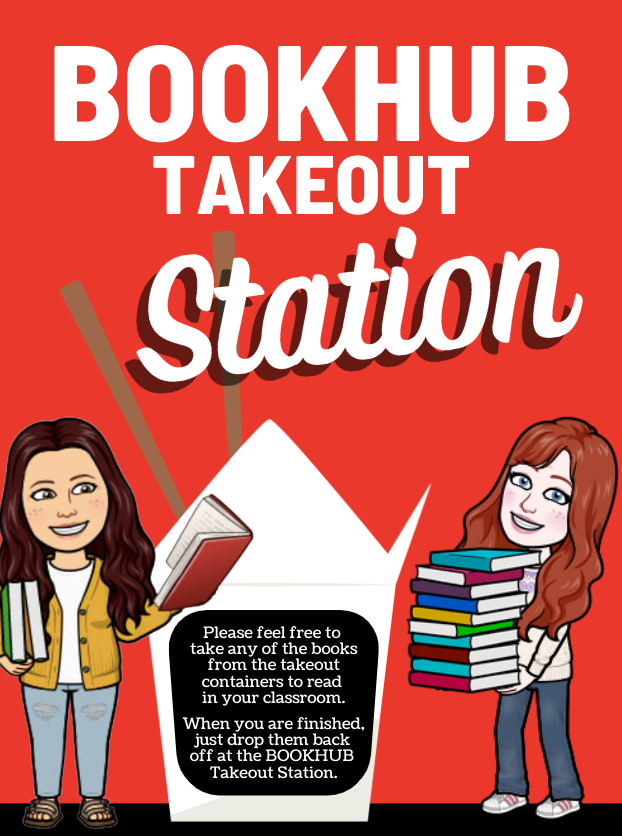
On the poster, I shared this message with the teachers. They get come and get books from the takeout containers (baskets) anytime they'd like. When they finish, we ask them to drop them back off at the BOOKHUB Takeout Station. 
You will find the Canva template for the BOOKHUB Takeout sign here if you'd like to use it too. 

And here is another layout of the poster that I used on the library door. 

You will find this the Canva template for this BOOKHUB Takeout Station sign here.
I also used this one in the corner of our new BOOKHUB Menu for the BOOKHUB Takeout Station. 

For this monthly menu, my library assistant, Natasha, and I, spend a lot of time reading and talking as we put together a special list of books for our teachers to share as read alouds in their classrooms each month.

I do the collage of book covers in PicMonkey
We love how our BOOKHUB Takeout Station came together for our teachers and we are excited for what it will bring to all of our students. 

Natasha and I will keep the books moving throughout the month.  We will monitor to see if we need to add more to the menu next month. 
We even used the space between the two BOOKHUB Takeout baskets as a place to display books around certain holidays and events, like we did here during Hour of Code in December.  It makes everything nice and convenient for everyone. 

With our BOOKHUB Takeout Stations, our hope is that our teachers and students share even more amazing reading experiences together throughout the year. We love supporting them from our library in this way.