Sunday, November 20, 2022

Creating Thankfulness Self Portraits and Stories With StickTogether Pixel Art, Books and Lots Of Creativity! And Learn How They Can Then Be Part Of The November Pixel Art Showcase!

As we get ready for the holiday, our first graders are participating in a very special project using books, graph paper and the StickTogether Pixel Art site, not to mention lots of creativity, hard work and fun. 
When the first grade teachers and I met to collaborate around doing a StickTogether Pixel Art project, we decided to have it focus on thankfulness. We would have the students create Thankfulness Self Portraits and Stories to share with each other and their families. 

The teachers kicked it off my sharing books with the thankfulness theme. Thankful and The Thankful Book are two of my favorites. 
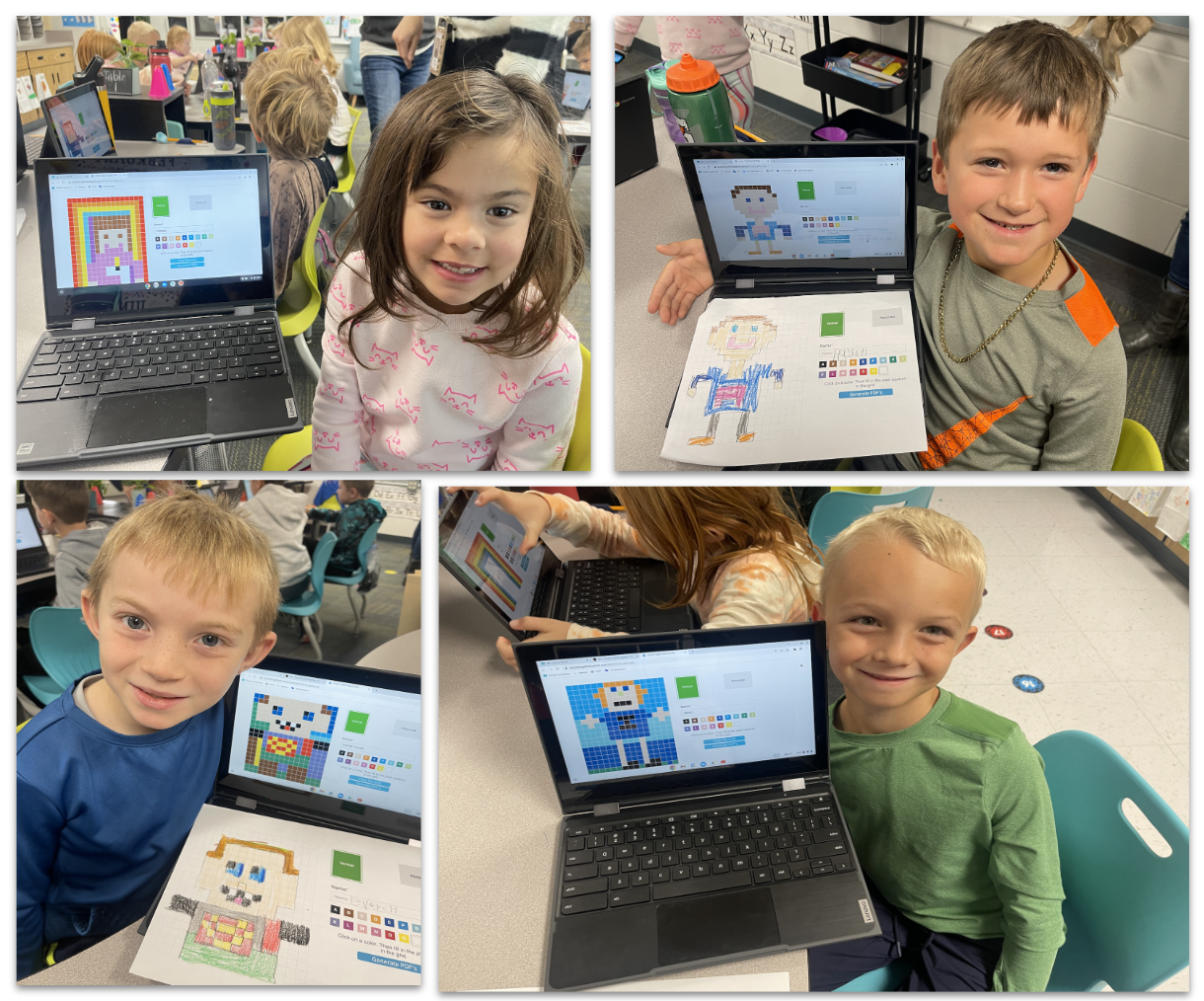
Since this was the 1st graders first time creating in the StickTogether Pixel Art platform, I made a screen shot of the site and printed it for the students to use as they created their self portrait on the graph. 
They used pencil and marker. 
When they finished on the paper, they were so excited to go to the Pixel Art site. 
I loved watching all of the unique and amazing self portraits come to life. 
They used their touch screens and the track pad. 
Take a look at a few of the beautiful Pixel Art creations from our 1st graders. 
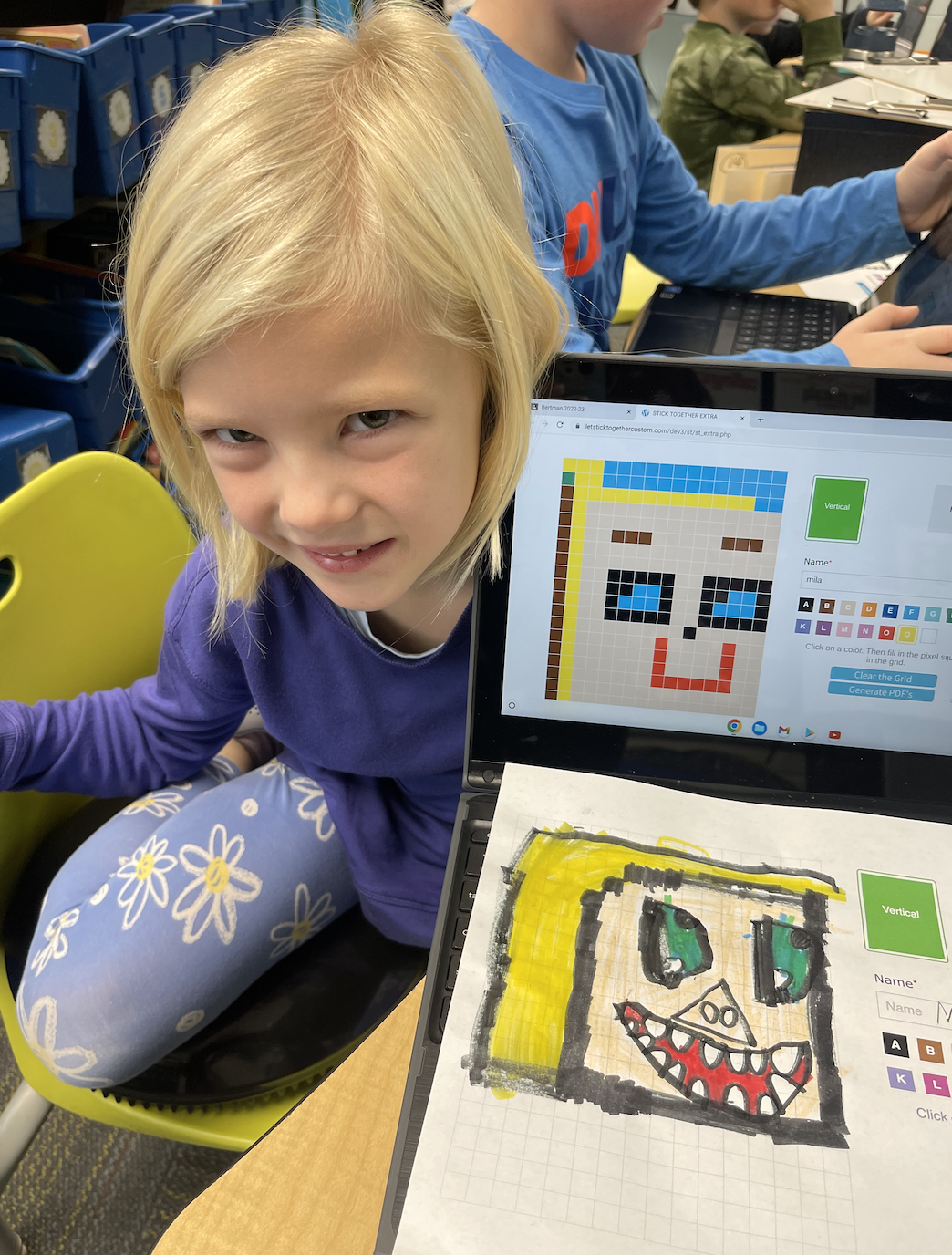
When they finished, the students downloaded their Pixel Art to their Chromebook. We helped them upload them into the Padlet's I set up for each classroom. 
We had them add their colored one to the Padlet too. This is what it looks like printed off in color. 

This week, our students will be adding the stickers to their blank sticker posters. I will share an update as they complete their Pixel Art self portraits. 
Once they have the Pixel Art complete, we will attach them to a piece of construction paper with a sentence starter, I am thankful for....on the other side for them to write what they are thankful for too. 

These will be such special project to share. I can't wait to see them this week. 
And to make this project even more special, StickTogether is happy to announce the StickTogether Pixel Art Showcase November 2022, "I am thankful for..." 

To be part of the November StickTogether Pixel Art Showcase, your students can create what they are thankful for at the Pixel Art site here. 

You can then post their Pixel Art entries on social.  Tag StickTogether at @byStickTogether #PixelArtShowcase #WeStickTogether
They will be featured here too!  

Capstone Connect Is My Go-To For Creating Learning Experiences and Choice Boards For Our Students Every Day


One of my favorite ways to share resources with our teachers and students is through a choice board. 

Not only does a choice board give me a place to bring together PebbleGo, Capstone Interactive eBooks and other online resources together, they make a perfect place for us to share these year after year, changing them up as we go. 

As I get requests from teachers and work with them through collaboration and co-teaching, 
the first place I go is Capstone Connect to look for resources to support and enhance what is happening with the classrooms.
In fact, Capstone Connect includes Capstone Interactive eBooks, PebbleGo, PebbleGo Next, Activity Bundles, Instructional Materials and more. 
With Capstone Connect, I can Search by Standards or Search 9000+ Resources. 
When I Search by Standards, I can select the State, Subject and Grade Level. 
Once I select these search items, it brings up the specific standards that I can click on to....
...find resources that support these standards. 
When I click on that resource, I can read more about the specifics and copy the link that takes our learners directly to that resource. 
My favorite way to use Capstone Connect when creating choice boards that support our reading curriculum is by Searching 9000+ Resources. 

When my first grade teachers requested a choice board for Plants and Animals In The Ocean, I typed in Oceans to find all of the resources that fit this topic. 
When I find something I want to use, I click on the resource, take a screen shot to use in the choice board, and...
....Copy the Link to take over into...
...the choice board where I attach it to the image of the resource. In this example, I found a Capstone Interactive eBook called All About Oceans which is perfect for this one. 

I took a screen shot of the cover and then attached that link from Capstone Connect to the image. 
When the students go to the choice board, they just click on the cover and it will take them directly to that Capstone Interactive eBook or to the PebbleGo articles. 

It's that easy!  

As you can see, Capstone Connect is such an essential and important tool for all teacher librarians and teachers as we plan, collaborate, teach and create the best learning experiences for our students every day. 

You Will Find My Recording and Resources From Last Weeks StickTogether Webinar, Tapping Into The Power Of Technology To Help Student Think, Create and Make, Here, Friends.


Last week, on November 15, 2022, I had the honor of joining my friends at StickTogether for the webinar Tapping Into The Power of Technology To Help Students Think, Create, Make!  

I had so much sharing lots of ideas, projects and resources during this webinar. 

And don't miss the upcoming StickTogether webinar, StickTogether Fireside Chat on December 13, 2022 at 4:00pm EST.  This isn't just a "sit and get" type of webinar so be ready to have some fun. 

You can register for the StickTogether December Webinar here.