Thursday, August 24, 2023

Creating Monthly Novel Effect Posters In Canva For Our Special Read Aloud Pop-Up Library! Find The Template For Our August/September Poster Here, Friends!


One of the best additions to our library and school has been Novel Effect. 

In fact, we started a Novel Effect Pop-Up Library. This has offered our teachers such a wonderful way to bring stories to life with special and important books. You can read about how we created our Novel Effect Pop-Up Library here

In January, we started something new to go along with our growing Novel Effect Library. 
Each month, we will bring together several Novel Effect books around special topics, events and celebrations.  This month, we focused on special holidays, events, snow and winter, and the Novel Effect books that have these topics from our library. 
Once we have our list together for the month, 
I go to Canva and create a monthly flyer for our Novel Effect books using the book covers, a Novel Effect image from their site and fun text. 

I create the collage of the book covers in PicMonkey.  You can edit a copy of this template here
You will find the Novel Effect images under the Additional Learning Resources on the Novel Effect site here.

And you can find the Canva template for this poster I created here where you can make a copy to use too. 

I printed the Novel Effect Books posters and passed them out to all of the teachers so they can post in their classrooms and keep track of all of the amazing read alouds to pick from each month.  

I love our Novel Effect Library and can't wait for everyone to read even more throughout the year. 
You will find the September Read-Aloud Calendar from Novel Effect on that page too. 

Wednesday, August 23, 2023

Join Us For The 2023 Global Traveling Mural Project, Friends!


Dear Friends, 


It’s time for the 2023 Global Traveling Mural Project! 


Our first annual Traveling Mural Project in 2018 was a huge success and such a special project for over 150 schools around the world to be part of. It has been such a special experience sharing it with all of you, my students and community.


If you haven’t read about The Traveling Mural Project yet, please visit this post to read all about it.


Here are the steps: 

1. To get started, you will sign up to a group here in this Google Doc.  There are 10 per group.  Make sure you add all of your information.


2. Create a mural with your community on butcher paper that is 36 inches wide by 10 feet long.  It is helpful to mark off the 1 foot sections on one side before starting the mural.  This makes it much easier to cut when finished.

You can use paints, crayons, markers, pencil, mixed media, photos, etc.. 


It can be as simple as putting up a 10 foot piece of butcher paper and having your students contribute to it over the course of a week or two to having it all drawn out for them to color in too.  Anything goes with this mural project. 

There are several wonderful picture and nonfiction books to use for inspiration and when talking about, planning and creating murals.  This is the Padlet with several….please feel free to add more. 


3. Cut the mural into 10, 1 foot long pieces and send them to the 9 other places on your list.  Make sure to include the name and location of your school somewhere on the mural. Keep one of the pieces for your mural. 


Send the mural pieces by November 30, 2023. 


4. Once you have all 10 pieces of the mural, put it together with your students to create your traveling community mural. 

5. Go to the 2023 Traveling Mural Project Book here.  

You will add a photo or photos of your Traveling Mural before you cut it into pieces and of your group with the mural.  Share your group, school, location and a little about your group and the traveling mural.  


Feel free to use more than one slide if needed. 


6. Post pictures & videos using #travelingmural on Twitter & Instagram. Let's all post these by the end of 2023. 


7. Make connections throughout this project with the others in your group. This project is about creating global connections and community with others around the world.  


Together, think of the impact and difference we can make for our students, library, school, community and throughout the world. 


Let us know if you have questions.  Our email is shannonmcclintockmiller@gmail.com


With love, Shannon McClintock Miller and Heather McClintock Fox

Monday, August 21, 2023

6 StickTogether Curricular Connections Choice Boards To Kick Off The Year! You Will Find Them Here, Friends.

The amazing curricular connections that StickTogether created and shared over the last several weeks gave all of us so many ideas on how to connect StickTogether to over ten subjects. I printed the curricular connections so I can use them as I collaborate with our teachers this year and dream up new ways to use the sticker posters, virtual sticker boards and pixel art digital tool. 

As I was brainstorming ideas from the StickTogether Curriculum Connections, I thought it also be fun to created choice boards around 6 (well, 7 since I included two of the Eric Carle ones for The Very Hungry Caterpillar) of our favorite sticker posters. 


You can see the StickTogether posters and choice boards in the image above. 

And you will find the links to the choice boards here...

Brown Bear, Brown Bear, What Do You See Choice Board and Link to Make a Copy


Very Hungry Caterpillar Choice Board and Link to Make a Copy


USA Choice Board and Link to Make a Copy


Bridges & Design Choice Board and Link to Make a Copy


Hot Air Balloons Choice Board and Link to Make a Copy


I Love the Earth Choice Board and Link to Make a Copy


And just as a reminder, let me show you how you can Publish your choice board after you make a copy. 

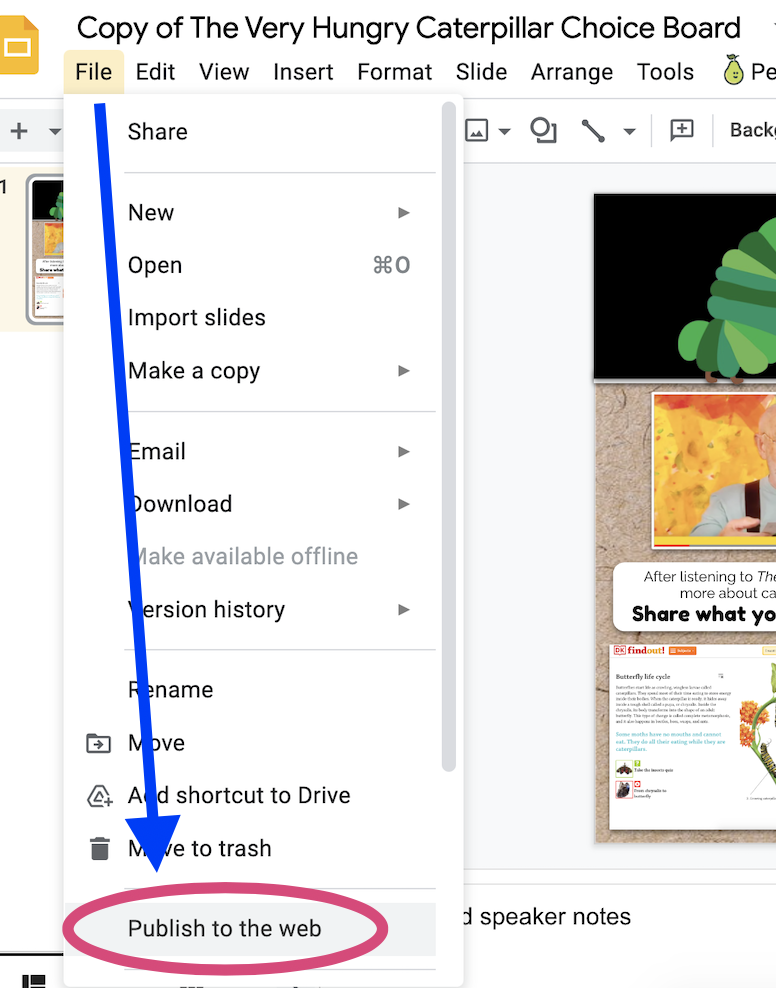
On the Google Slide, go to File and click on Publish to the web. 
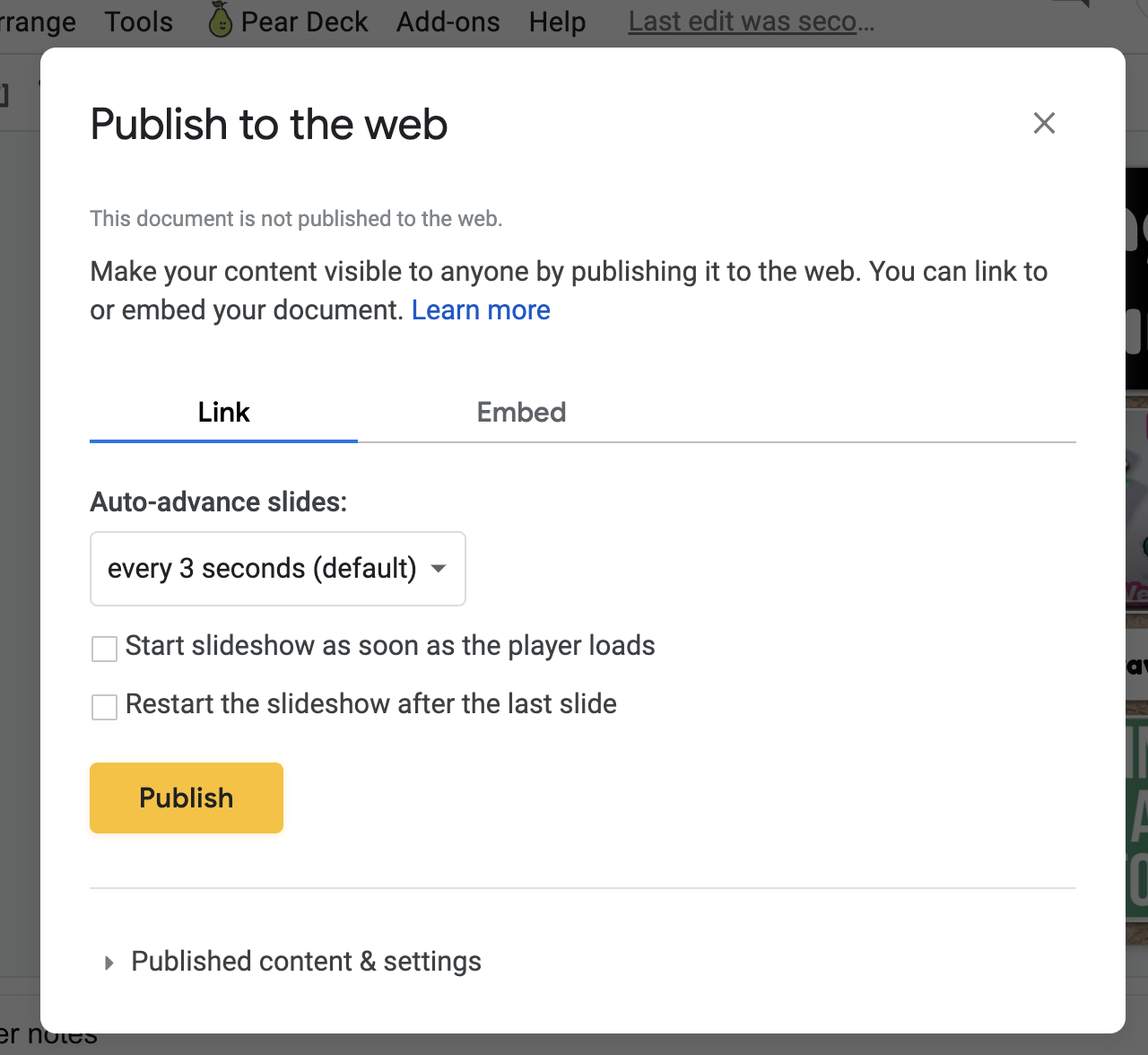
When Publish to the web pops up, click on Publish.
This will give you a link that you can share with your students. 
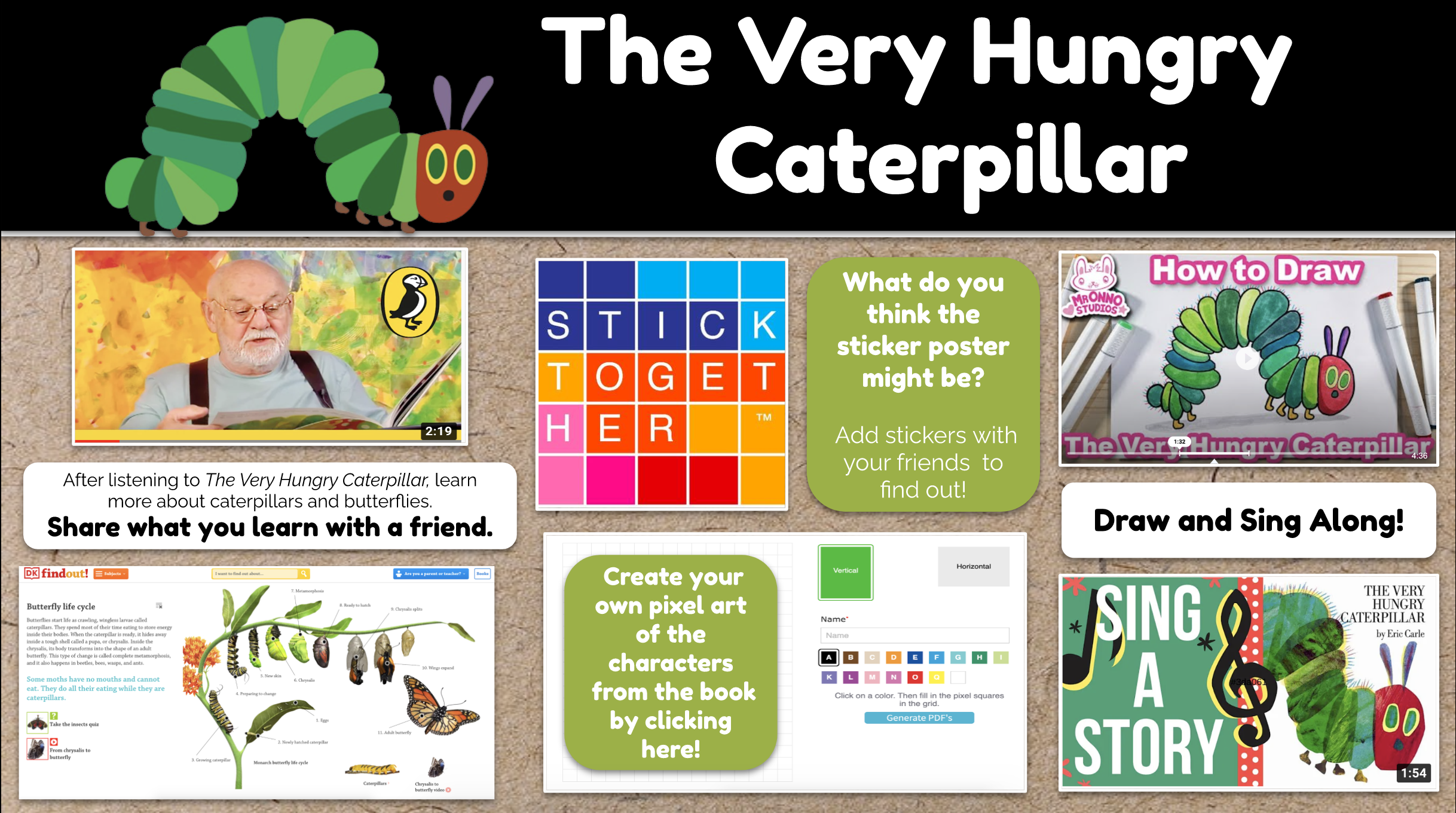
The choice board will look like this without all of the other editing tools around the outside. 

You can make any changes you would like to the choice boards.  For example, I am going to add PebbleGo articles and Capstone Interactive eBooks to mine so I can use them with our students at Van Meter. 

I will be posting the ones I mix up with these digital resources later today in another post. 

The sky is the limit and I hope these choice boards bring the StickTogether experiences to life even more for your students this year. 
You can find all of the sticker posters and more on the StickTogether site here.