Wednesday, October 21, 2020

Collections By Destiny...The One-Stop Shop For Curation, Collaboration, Teaching and More!

As educators work with students in face-to-face and remote learning settings, we are constantly looking for the best methods and platforms to deliver learning, content and resources in organized, engaging and meaningful ways.  

In the classroom, we do everything we can to engage our learners and to provide them with wonderful experiences and resources. Platforms like Google Classroom, Seesaw, Canvas and others are being used to create engaging spaces online to bring together and share lessons, assignments, projects and learning opportunities, while connecting our students throughout the year. 

Within all learning opportunities, in person and virtual, we need tools to help us with the curation, collaboration, teaching and more. That is where, Collections by Destiny, comes into play for our teachers and students.  It is the one-stop shop for all of these things and so much more. 

In fact, I am getting ready for our annual Destiny For Teachers Library Pop-Up PD, that I offer every fall to get teachers signed up and back into their very own Destiny Library Manager account.  This not only gives them lots of access to the library, but it helps teachers set up Collections and Playlists to use with students and within their teaching all year long. It's always a blast and so helpful for everyone. 

Let's take a closer look at what makes Collections a one-stop shop for teachers, students and librarians alike. 

Curation

We use Collections to curate all kinds of resources for our students, teachers and families.  Books, eBooks and audio books can be pulled into Collections from our library collection within Destiny.  Online resources, like databases we have access to and OER resources available to everyone, can be pulled into any Collection too.  And don't forget all of the digital tools and apps that our students use to create.  They must be part of Collections too. 

For example, here is a Collection we created for 3rd Grade Geography.  It contains eBooks, print books, website, links to our PebbleGo and even the Geography Fun Choice Board. 
When a teacher is ready to share this with students, a Collection can be shared by inviting them via email, through the link, by sending an email and by connecting to Google Classroom. 
I love how easy it is to share Google Classroom.  You just click on the little symbol, select the class and action, and press Go. 
It automatically uploads that Collection into a post, where you can add details and share it with your students.  This comes in very handy when having students go back to the things we curate for them throughout the year. 

We can also add Collections to other curation tools we use such as Symbaloo or Wakelet.  Just grab the share link and add to any curation tool or site. 
I make sure I always add a Collection to our Monthly Choice Boards and others.  This is such a helpful way to tie in library resources and a great way to highlight the Collections we have curated. 

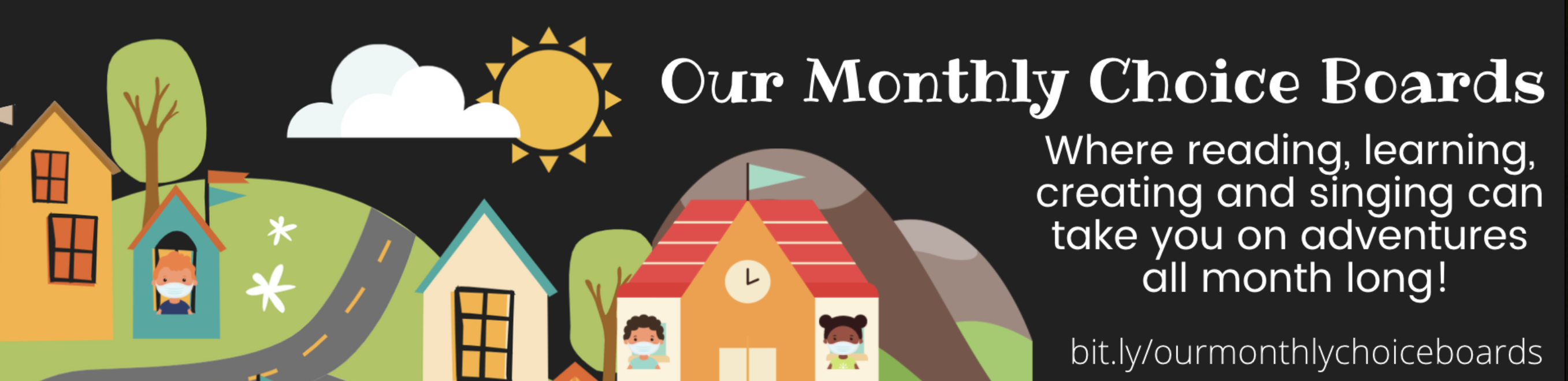
You can find Our Monthly Choice Boards, as shown above, to use within your school and community here
I also love how I can bring all of these Collections into one Collection Set so I have one link to share with students, teachers and families.  It makes curation so much easier for all of us. 

Collaboration 

Collaboration is one of the most important things we can do as teachers and teacher librarians.  It brings us together so we can brainstorm, plan, research and teach in innovative, collaborative and creative ways, bringing the best learning experiences to our students and school community.  It brings us together in a way that enriches everything we do as teachers and librarians. 

Collections are a very important part of how we collaborate at Van Meter.  We collaborate on Collections together and share them with each other too. 
At the start of the year, I make sure our teachers know how to log into our Destiny Discover and use the features available as a teacher.  This includes being able to create and collaborate on Collections. 
As teachers, it is so helpful to be able to go to Collections with Destiny Discover, pick books and eResources from the library collection and add them...
...to a Collection they have created.  For example, our 2nd grade teachers created a Collection for Science.  They found an article in PebbleGo about plants and added...
...several books and eBooks too.  

Our teachers comment on how helpful being able to use Destiny and curate resources within Collection is for them as we collaborate and plan throughout the year. 

Not to mention, how they love being able to share Collections with students so they can find everything they need so easily.  

With students face-to-face and learning remotely, this is especially helpful this year.  

And did you know that students can collaborate within Collections too?
Everyone using Destiny within our school also have access to all of the Collections within our school and district, and ones that people around the world are creating and making public for everyone to access.  We are collaborating and sharing amazing work and resources in such a helpful way being able to access Collections in a variety of ways. 

Teaching

Through all of this amazing curation and collaboration, we are always excited to teach the lessons and projects we have prepared. Teachers have so much at their fingertips within Collections and Destiny.  
We can share the Collections in a variety of ways with students as I have shown in this post.  

One super helpful way to share with students who are using devices to access information, is by Creating a PDF with...
...the name of the Collection at the top, resource titles and even QR codes to access the resources.  This can be printed for students and even posted for everyone to use. 

One of my favorite things about Collections is being able to create and share Playlists. Playlists are curated visual lists of resources educators select from a Collection to share in a meaningful, organized way. 

Again, librarians within the school and district can help set up all educators within Destiny Library Manager in order to create Playlists within Collections. 
To create a Playlist, you click on the + sign in the right hand corner of any Collection. 
This is where you can add any type of resources or Items to a Collection.  You can add URL's, upload files and images, add a note and even add another Collection. 
First, click on Playlist and give it a title.  For this one, our 2nd grade teacher, Mrs. Ferguson, and myself typed in Let's Learn About Plants and clicked on Add. 
The Playlist pops up with the resources from that Collection on the left hand side.  You can view as Image Cards or Title Cards. You can make changes with the little pencil too. 
To add the resources to the Playlist, click on Add Slide as circled above. 
This adds them to the Playlist.  We change the positions around once the resources are added so it makes sense when using this to present or share a lesson with students. To do this, just click on the three little dots in the right hand corner of any resource.  
Select Change Item Position and move the item to the position you would like. 
You don't have to use all of the resources within a Collection.  This is a really nice feature, because you can even create multiple Playlists from one Collection.  
When you are ready to use this Playlist in a lesson or project, just click on the Share button and share how you would share a Collection.  

We have found being able to create Playlists from our Collections especially helpful during remote and blended learning, because we can add instructions in a Google Doc, resources from our library and online, digital tools for them to create a project from the materials and even a form of assessment to complete at the end.  

It truly shows how Collections can be all educators one-stop shop for curation, collaboration, teaching and so much more! I would love to hear how you are using it as teachers and librarians too. 

Collections by Destiny have changed the way we do things at our school and I know it will within your community too. 

You can learn more about Collections here.

And if you want the template to the Collections by Destiny Pop-Up PD I created in Buncee, click here.  You can make changes and use it too. 

Tuesday, October 20, 2020

It's Week 2 of the Future Ready Librarians® Challenge, Friends...And Look At The Fun & Learning We Have Planned!

It's Week 2 of the Future Ready Librarians® Challenge, friends.  

I hope you participated last week as we kicked off this awesome event over the next several months.  You will find the first post here to explain more. 

This week is Activity 2 and we are asking you to answer this question, 
What's your superpower? 

On October 22 at 12:00pm EST during the #FutureReadyLibs Twitter Take Over, we ask you to post one superpower that was revealed by the Future Ready Librarians® Self-Reflection, which we all took last week as we kicked off the challenge. 

We can't wait to see all of the amazing superpowers we have as Future Ready Librarians during the Twitter Take Over.  It's going to be such an inspiring day and a whole lot of fun. 
Also on October 22 at 6:00pm EST, my partner, Mark Ray, and I will be LIVE on the Future Ready Librarian Facebook Group here to answer questions about Challenge #1 and beyond.  

It is going to be a great time together for conversations and questions.  We hope you can join us. 
Find out more about the Future Ready Librarian® Challenge here on our special new website, friends.  

And please let us know if you have any questions. 

10 Special Reading Activities Families Can Do Together

November is National Family Literacy Month, one of the best times to celebrate the importance of developing a love of books and reading at home. 

As we get ready to celebrate within our community, I have been thinking a lot about how the love of reading and connection to wonderful books, supports early reading and writing skills, strengthens vocabulary development, and gives our littles the skills and confidence needed as they prepare for success in school. 

And one of the most important things reading together at home brings, are special bonds within families that are built through sharing stories, experiences and conversations within the pages of the amazing books being shared. 
When I was young, my parents shared their love of reading and books with my sister, brother and I constantly.  Not only did my parents read to us every day, they encouraged us to connect to the stories and books by reading to one another, playing library and school together, writing and illustrating our own stories, making cool book forts and much more. 
I kept our books and held onto all of the memories they hold from my childhood, 
and loved sharing the same books and stories with my own three children too.  

In this post, I am excited to share 10 special reading activities you can share, as a teacher and librarian, with your families, as we celebrate Family Literacy Month in November, and all year long too. 
1. One of the most important ways families can spend time with one another is by reading aloud together. This is such a special time as it encourages conversations and promotes literacy skills through a variety of books with diverse stories, characters and settings. 

You can take turns reading back and forth, and even involve other family members such as brothers, sisters, grandma, grandpa, aunts, cousins, etc.. And right now, if you can't get together in person, set up special times to read together on Zoom. 

And reading aloud together is for all ages.  I still share special books I come across with my 26-year daughter, Brianna.  It's just the best and one of our favorite things we share is the love of reading instilled in her many years ago. 

2. Carve out time in your schedule for visits to the public library to find books to read together and for the amazing programming public libraries provide children and families. 

We can also work with the public library in our community to ensure all children and families have library cards. These can then be used at home and at school to widen the variety of books and resources our young people have access to. 
3. Families can talk with their children about what they might find in the school library. By using Destiny Discover, families can log in together at home to search for books and to view Recently Added Books, Popular Titles, and others within various categories within our school library collection. 

When a book is found that you might read together, students can login and place a hold on the books. They can then pick them up from the library the next day. 
To help them remember how to login to Destiny Discover and other important places like the library website, I created The Van Meter Library & Makerspace To-Go's for our students to take home.  You can find this template and instructions here in this post
4. Within Destiny Discover, a fun activity for families to do together is to add book reviews. Students can add book reviews, as shown above, to keep track of what they've read and to recommend books to others. 

This can be a wonderful incentive for reading together at home, as students love adding the reviews within Destiny. 
5. Another super cool place for families to go together is Biblionasium, the safe, fun, social reading community for kids, their friends, educators and parents. 

Within Biblionasium, children can keep track of the books they are reading and what they would like to read on virtual book shelves, while recommending and reviewing books, participating in reading challenges, and by being part of a reading community with their classmates and friends. 
For families, Biblionasium lets you find books that are appropriate for your child's interest and ability, while checking in on their reading lists, class challenges and assignments.  
When my son, Hagan, was younger, he loved keeping track of everything he read using Biblionasium.  We even set up challenges that he completed over the summer and throughout the year using eBooks he was reading within Destiny.  It was so much fun to use together as we worked on improving his reading comprehension and knowledge around a variety of interesting topics for Hagan. 
6. Speaking of eBooks, these can be a fun reading activity for families. When it isn't possible to check out print books, we can connect them to places online to read eBooks and other eResources. 

Our eBooks are cataloged alongside our print books. They are a very important part of our Destiny Discover.  They have their own ribbon on the homepage, as shown above, which makes it very easy to find when searching for a new one to read. 
I also pull a lot of our eBooks and eResources, like online read alouds, into the choice boards I create and share with our students, teachers and families throughout the year.  For example, in Our October Choice Board found here, I included several books to listen to online like I Need My Monster, If I Ran For Presidents and Halloween.  
I will be creating monthly choice boards throughout the year.  You can find them here on the Our Monthly Choice Boards site I created. Please feel free to share these fun reading and learning activities with your families and students too. 
7.  Audio books are a great way to bring reading and books anywhere you go.  It's fun for families to listen together, especially while in the car or listening before bed together.  
Again, we keep our audiobooks cataloged and available through Destiny Discover to make it easy for everyone to search and access them anywhere. 
And one more tip around connecting your families and students to all of the different places online, make sure you organize and share them in fun and unique ways.  For example, this year I created a choice board for our library and embedded it right into the home page of our Destiny Discover.  

When they go to Destiny, the first thing everyone sees is a place to easily locate all of these resources including audio books, eBooks, databases, our Virtual Makerspace and so much more.  It definitely has a made a difference as they engage in so many different ways. 
8. It's always fun to encourage students to write and illustrate books at home with their families.  This is one of my favorite maker activities to send home with students over holiday breaks or throughout the summer months.  They can be simple paper books with writing and colored illustrations. 
If they'd rather create digital books, they can use a digital tool like Buncee.  With Buncee, digital stories and projects can be created using digital stickers, animations, backgrounds, text, images and much more.  There are dozens of templates to choose from which make it easy to find those home and family connections.  You will find Buncee here.  Students can use their accounts from school or families can sign up for an account at home. There is a free limited version available to everyone. 

Buncee contains the Immersive Reader from Microsoft, which allows all students to listen to the stories they write, in dozens of different languages too.  You can read more about this integration here.
9.  As we get ready to celebrate Family Literacy Month at Van Meter, I will be putting together a Flipgrid to share with our families to do at home, like the one above I created for World Read Aloud Day a few years ago. 

Using Flipgrid, which is FREE for everyone, you can create a place for families to share what they are reading together or even share a special reading place at home.  Then by sharing the Flipgrid with everyone, students and families can watch and comment on others video responses.  It is such a nice way to bring your community and families together around reading. 
10. Lastly, I can't share enough how important it is to make recommendations for great family read alouds. Not only do I book talk a lot of books within our library and classroom, I also share these recommendations on our library social media accounts like, Facebook, Instagram and Twitter, and online newsletter so families can get ideas and see what is available through our library. 
This fall, I started the Great Read Aloud's for Our Families Collection by Destiny that includes read alouds we have in our library collection.  The read aloud suggestions in the Collection include print, eBooks and even audio books.  I will continue to add to this throughout the year. 
I even put together a list to share with all of you that includes my top picks for Great Read Alouds for Families for kindergarten through 8th grade students. 

We know the power of sharing our love of reading with children and families.  For Family Literacy Month, let's all make sure we share these ideas, and more, with the families and children we work with everyday.  And as many of us are spending lots of time learning together at home right now, sharing special reading experiences is one of the most important ways we can spend that time.  

It will make a difference in the lives of our readers forever.